The whole list, grouped the way the homepage tells it. Almost all of this is off until you ask for it, and nothing here costs extra.
It watches the clock so you don't
Five small nudges, timed around what you're actually doing, and the controls to shape them.
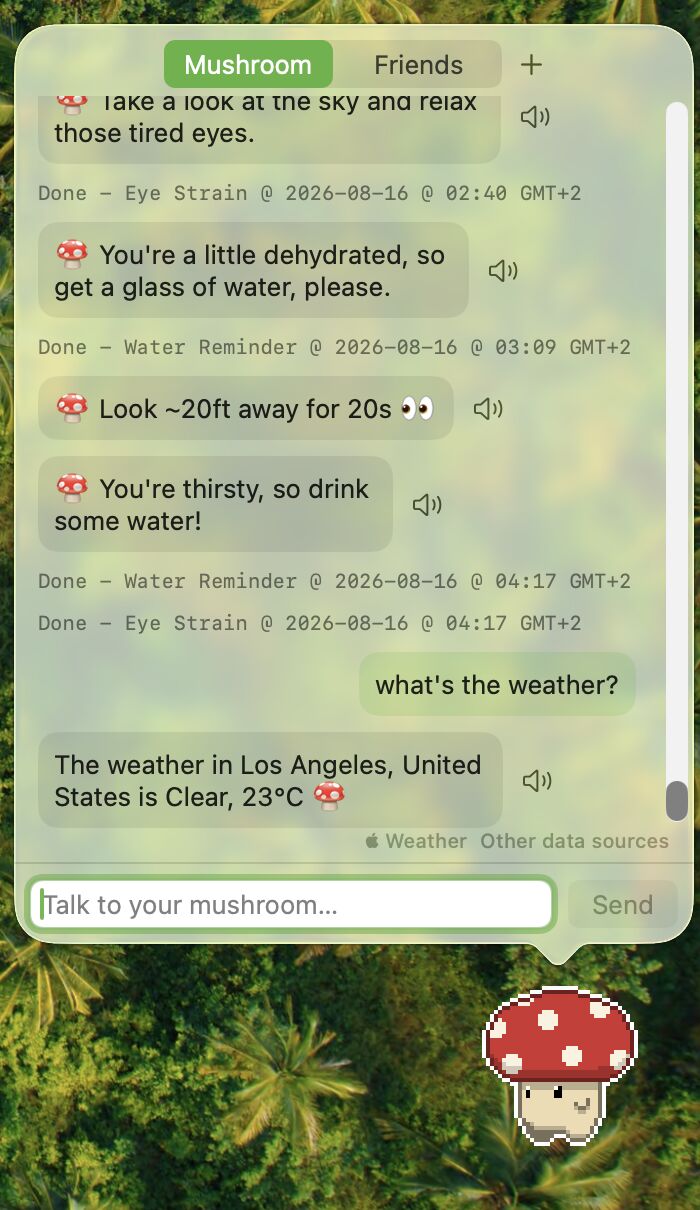
Gentle sips, not nagging. It asks once and lets it go.
It notices how long you've really been active, then suggests a stretch.
Because lunch keeps mysteriously disappearing.
The 20-20-20 rule, remembered for you.
No pings while you're away or winding down.
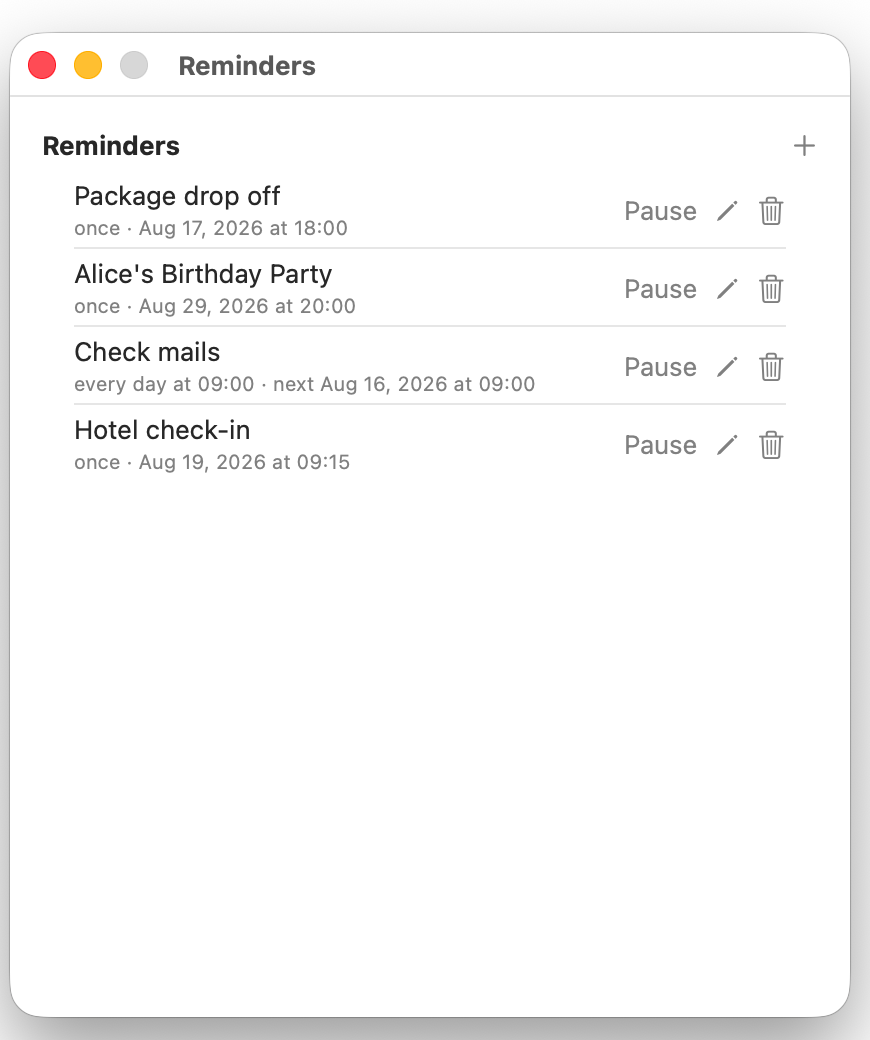
"Remind me in 2 hours to call Tom." Plain words, and it just happens. Or type one into the form, and edit it later: every day, certain weekdays, every few days, or once a month.
Every reminder gets its own sound, its own hours, and a daily goal if you want one. Water on the clock, snacks only at lunch, and your own list of little chores for break time.
Not right now? Skip it, and the next one still arrives on the normal interval. Your mushroom takes an honest "no" as well as it takes a yes.
One menu bar click holds every nudge back for an hour, until tomorrow, or until you say so. Nothing is lost, it all arrives once you are back.
Tick a shared family calendar, the one everyone adds plans to, and your mushroom nudges you before each appointment. It only reads your calendar, and there is nothing to set up or sync.
Tell your mushroom you are working. Pick a length from the menu bar, ask in plain words ("focus for 45 minutes on the proposal"), or start one from Shortcuts. It keeps its nudges to itself for the whole session and wears a small countdown so you can see what is left. When the time is up it suggests a break, then asks how it went in one tap, and the session lands in your stats with a daily goal of its own. Nothing held back is lost: it arrives once you are done.
See your streak, six months of activity at a glance, and how your mushroom is doing. This week against last week, how each habit is going, and your progress toward any daily goal you set. Miss a day and nothing is taken away, and a quieter week is never shown in red.
Your mushroom notices when a nudge keeps going unanswered at the same time of day, and offers to keep it quiet then. It shows you which hours and why, and nothing changes unless you say yes. It only speaks up when it is actually sure, and "not now" means not for another two months. Worked out on your Mac, from what is already saved there, and never sent anywhere.
Pick a starting point and the intervals and goals are chosen for you.
Optionally stay quiet while a calendar event is on.
Turn on a macOS Focus and the pet fades back, or pauses, or both.
Out of sight until a reminder is waiting. Or always on screen. Your call.
Talk to your mushroom
Ask for anything in plain language. It runs on Apple Intelligence, entirely on your Mac.
Copy any text, press your shortcut, and your mushroom reads it back. Press it again to stop. Pick the voice and the speed, and read any chat message or your notes the same way.
Once a day your mushroom shows you an old photo, a gentle little look back. Point it at a family album or let it surprise you with a photo from years ago today. Off until you ask for it, and it only reads your photos, never changing or sending them.
List the people you would want to reach in a hurry. A help button next to the pet opens big, readable rows: the name, the number in plain text, and one button that calls. The people you video call get rows in the same panel, so one click starts a FaceTime call, or paste a Zoom, Meet, or Teams link and the button opens that room.
"Add a Reminder" and "Start a Focus Session" are Shortcuts actions, so they drop straight into your own shortcuts and automations. Name one "Nudge me" and Siri will run it for you. Mushroom does not even have to be open.
One small JSON file teaches the chat a new trick: a cat fact, a word lookup, your own API. Browse the gallery, grab a tool, or write and share your own.
Drop in a suspicious message and it checks the sender, the links and the files, then tells you plainly what it found.
Conditions or tomorrow's forecast, and it knows where you mean.
A gentle hello as the sun comes up, and again as it goes down.
One inspirational line and who said it, word for word.
"What time is it in Beijing?" Several places at once, if you like.
Your own feeds, three to five headlines a day, quoted word for word.
A little scratchpad that saves as you type.
"Snooze that for 20 minutes." Said, done.
English, Deutsch, Franรงais, Espaรฑol, ๆฅๆฌ่ช.
Record your own keys to open chat, notes, or reminders from any app.
Two little games in the menu bar, for a proper break.
Ask it to "do something cool" and it sprints across your screen.
The Original Skins add-on puts a Skins tab in Settings. See them.
Kind by design
Everything lives on your Mac, and the LLM it chats with runs on-device. Two things can ever leave, and both start switched off.
Your mushroom can carry messages. Invite one person with an 8 character code that works once, then chat in a panel right under the pet. There are no usernames and no directory to appear in: a code is the only way anyone reaches you. Messages are locked on your Mac and opened on theirs, so the server only ever passes along something it cannot read. See when a friend is at their Mac and when they are typing, or switch both off. Blocking someone or deleting a conversation is one click.
Drop a file on your mushroom and it hands you back a link. Send it to anyone, on any computer, with nothing to install and no account to make at their end. After 24 hours the link stops working and the file is deleted, so nothing you sent last month is still sitting around.
The chat model runs on your Mac. No analytics, no tracking. Only weather, the daily quote, news and the tools you add go online, and only for what they fetch.
Turn on iCloud sync and your Macs share through your own private iCloud, never through us. Leave it off and nothing syncs at all.
A company can run both of those servers in its own cloud account or on its own hardware, and neither one touches us. The server software is open source: read it or run it. That setting is on the version you download from this site.
Point it at a folder and it keeps a daily snapshot, the newest 3 kept. Restoring is one explicit act through the Import button.